Projects. Tasks. Team.
Project Time Tracking – Capture Structured, Stay on Top as a Team
Do you know where the time in your projects really goes?
marble work makes project time tracking a fixed part of your workflow: log time, structure projects and tasks, collaborate as a team – and export everything cleanly whenever you need. Built for freelancers and agencies who want to stay on top of things.
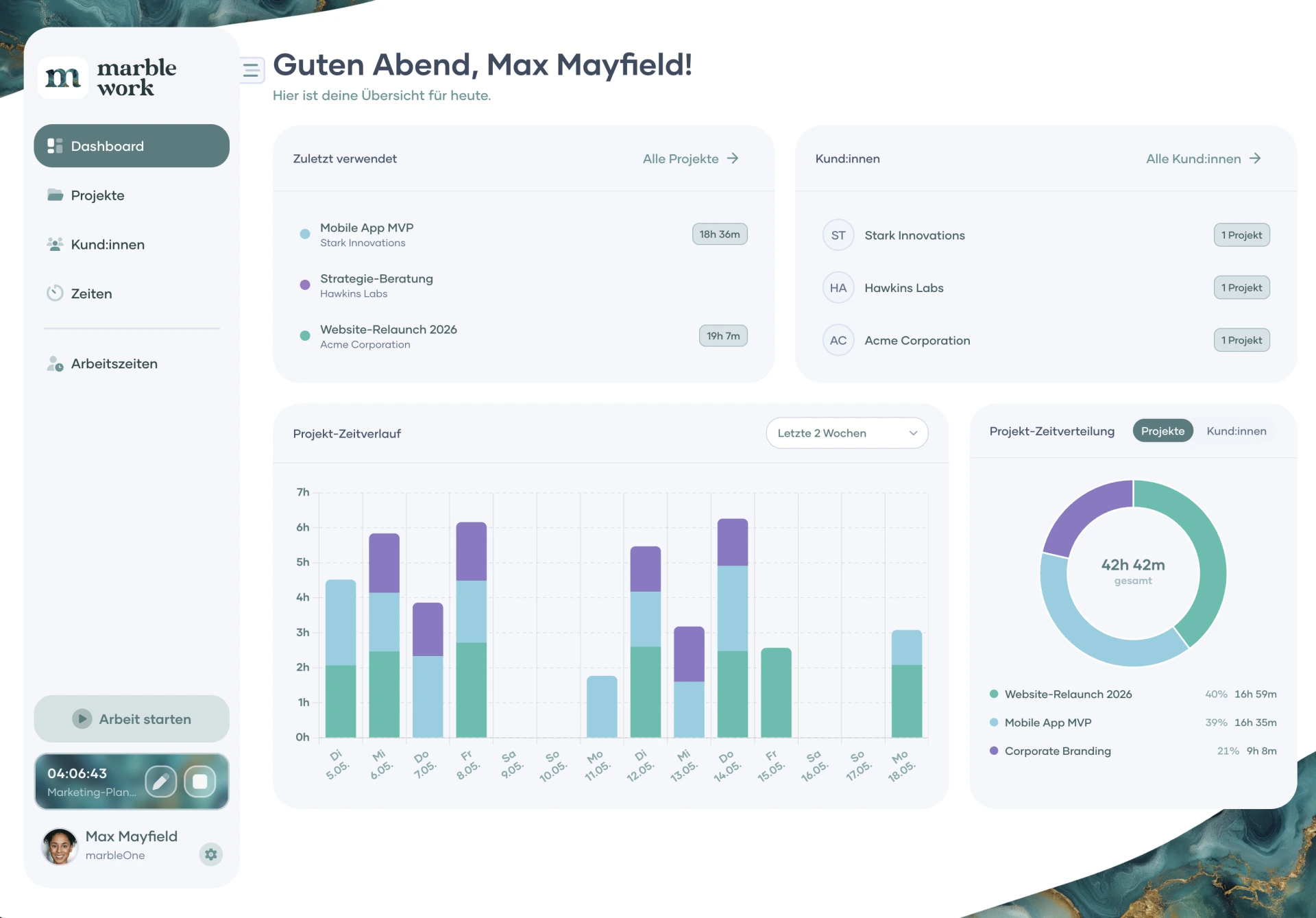
Project time tracking in action
See how project time tracking works with marble work
Create a project, structure tasks, start the timer – ready in a few clicks. marble work keeps your workflow lean and your reports clean. No steep learning curve, no feature overload.
Time tracking, rethought
Why marble work for your project time tracking?
A lot of time tracking tools log hours – but don't understand what's behind them.
marble work approaches project time tracking from the way you actually work: log time, structure projects and tasks clearly, collaborate as a team and export everything flexibly – all in one interface. You always see what's being worked on and where your time really goes. Hosted in Europe, GDPR-compliant.
marble work subscription
Your project time tracking – get started today
The Free plan gets you started with up to 3 projects and 3 clients at no cost. The Pro plan removes all limits – unlimited projects, clients, team members and all reports & exports. Upgrade whenever you're ready.
Monthly
Yearly (Save up to 20%)
Free
Your free start: projects, clients and time tracking, forever and without a credit card
€0
€0
/ Month
excl. VAT
Features
View features
- Up to 3 projects, 3 clients & 5 tags
- Up to 10 tasks per project
- Project time tracking with a timer or manually
- Work time tracking (solo) with a timer or manually
- Dashboard with 4 widgets, calendar & charts
- Export to CSV or Excel
- Web app plus iOS & Android
- 1 GB storage
- Member of unlimited organizations
Pro
For teams that run AI teammates, projects and time tracking in one place
€49
+ €12 for each additional memberi
€39
+ €9 for each additional memberi
/ Month
excl. VAT
Features
View features
- Everything from Free
- 3 AI teammates with their own model, skills & memory
- 4 connectors & 5 skills per AI teammate
- Task chains: AI steps & human approvals in one task
- Chat with your AI teammates
- Company knowledge every AI teammate knows
- 10 auto-starts per month
- Your own AI key: no credits, no markup
- Unlimited projects, clients & tasks
- Team invites, roles & project permissions
- Hour account, vacation & absences
- PDF export & custom labels
- All dashboard widgets
- 250 GB storage
Rocket
For agencies and teams without limits, with an open API
€89
+ €15 for each additional memberi
€69
+ €12 for each additional memberi
/ Month
excl. VAT
Features
View features
- Everything from Pro
- Unlimited AI teammates, connectors & skills
- Unlimited auto-starts
- REST API & MCP server: control marble work from outside
- Connect your own external Hermes agent
- Workspace color in your corporate design
- 500 GB storage
* Coming soon...
Billable or internal
Mark every time entry as billable or internal – as a simple category. That way you can cleanly filter your reports between client work and internal work.
Tasks & subtasks
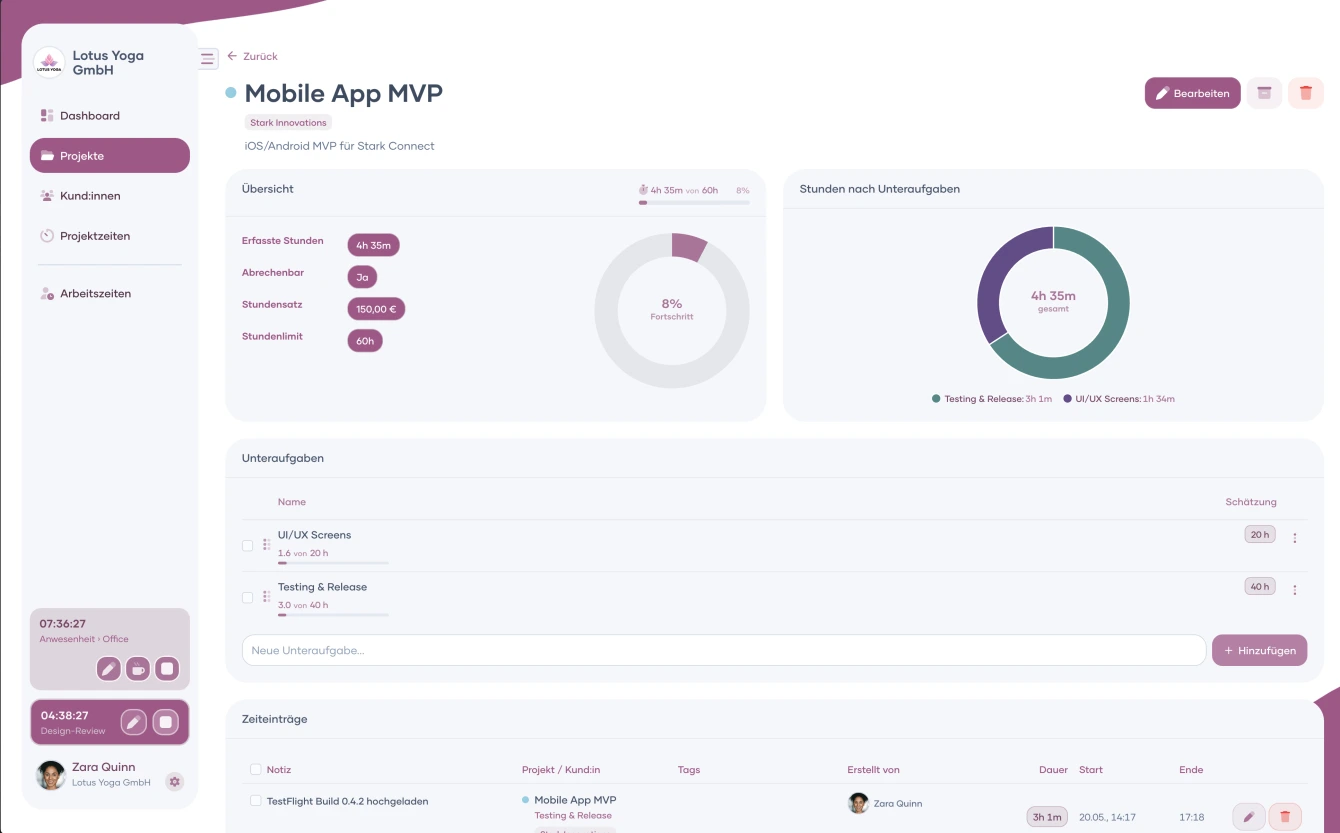
Break projects into tasks and log time against specific items. You'll see exactly which parts of a project take up the most time.
Hour budgets
Set an hour budget per project and see how much has been used at a glance. You spot early when a project is heading for overrun.
Reports & export
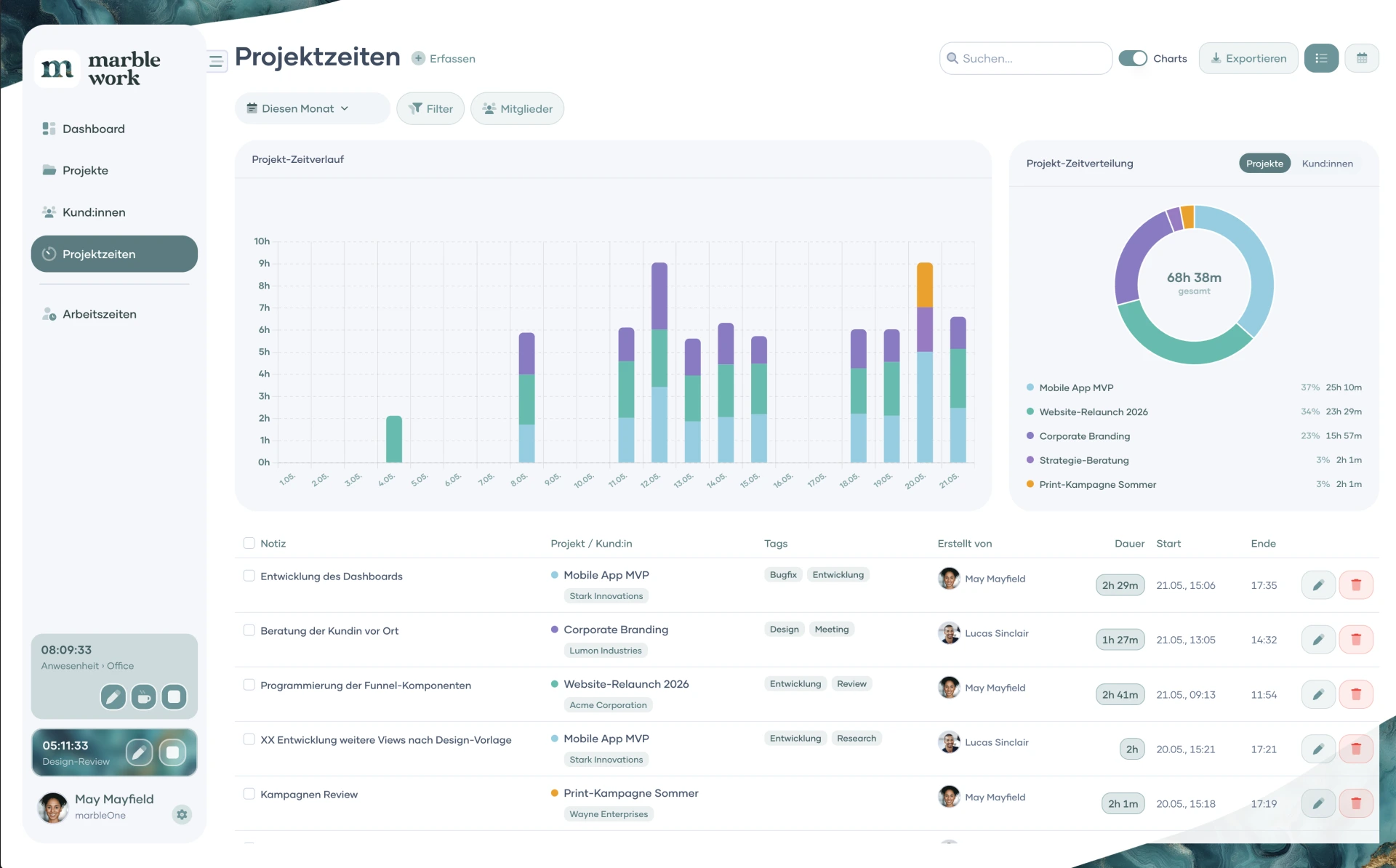
Interactive charts and flexible date filters show where your time goes. Export everything as CSV, Excel or a branded PDF.
Teamwork built in
Project time tracking that brings your whole team along
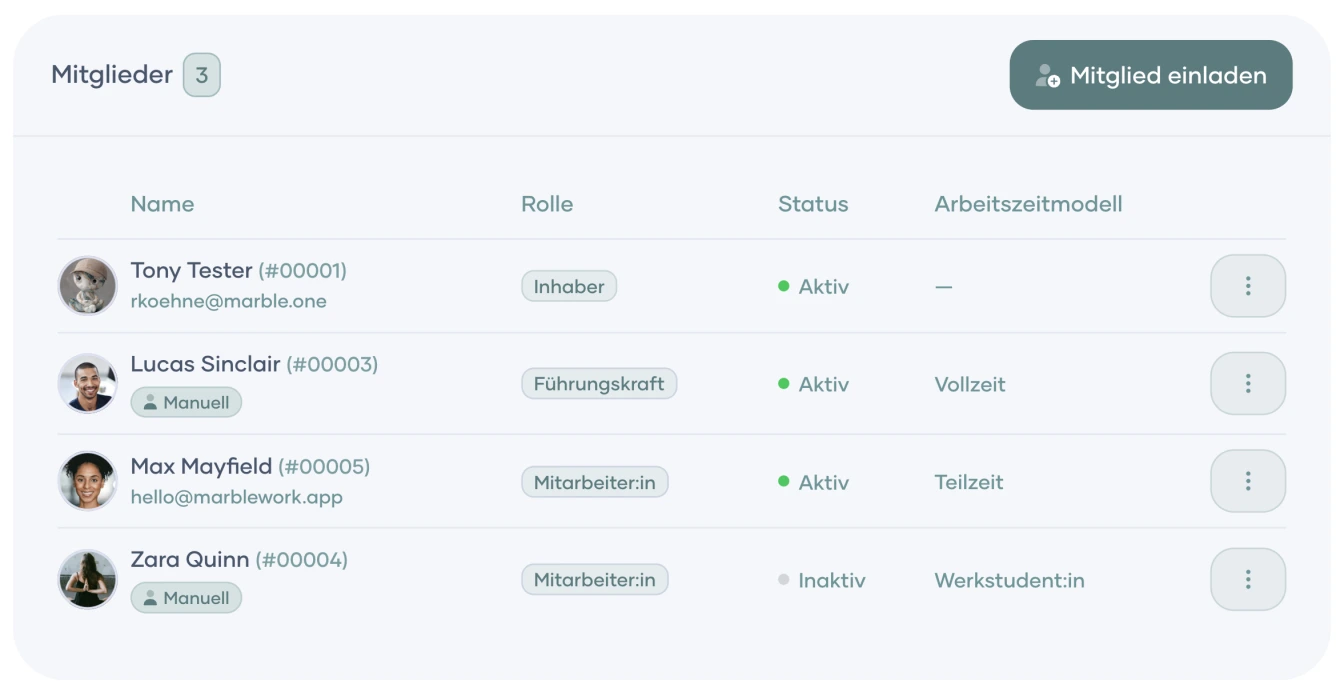
Invite new members by email in seconds or add them manually – everyone is ready to go right away. With roles and permissions (Owner, Admin, Member) you decide who can see and do what. Admins keep all of the team's project time in one shared overview, and former members stay fully reportable – no data loss when people move on.
This makes project time tracking a team effort – not a solo chore.
Versatile & adaptable
A project time tracking solution that grows with your projects
More control over your projects: tasks, budgets, a clean archive and flexible exports – all in one place.
Project time tracking has never been this well thought-through. With marble work, every aspect of your project work is under control – from the first time entry to the finished export.
Tasks & subtasks
Break projects down into tasks and log hours against specific items. You'll see not just how much time a project takes in total – but which parts consume the most resources.
Hour budgets with usage display
Define an hour budget per project and see at a glance how much has been used. You get early clarity before a project spirals.
Project status & archive
Active or archived – you decide what you see. Completed projects don't disappear; they stay reportable. Historical data for future quotes, available whenever you need it.
Exports in every format
Export your project time as CSV or Excel for further processing – or as a professional PDF in your own corporate design with logo and footer (Pro). Ideal for reporting, your accountant, or sharing with clients.
Help Center
Questions about project time tracking with marble work? We've got answers.
Here you'll find answers to the most common questions about project time tracking with marble work.
Subscription
How many team members can I invite?
In the Pro and Rocket plans there is no limit on team members (Payment per member). You invite new employees by email or add them manually and they are immediately ready to go. With roles and permissions you control exactly who can see and do what.
App
How does the timer work in marble work?
One click starts the timer, another stops it. While the timer is running, the current time shows right in your browser tab, so you can see at a glance that the clock is ticking. Forgot to start? No problem: add time entries after the fact, with start and end time or as a total duration.
App
What types of reports does marble work offer?
The dashboard shows you at a glance which projects are active and how much time has been logged. On top of that, time trend charts across days, weeks, or months, and an interactive time distribution by project and client. All reports can be filtered by flexible date ranges and exported as CSV, Excel or PDF.
Subscription
Can I use marble work for free?
Yes! The Free plan of marble work is permanently free, without time limit and without a credit card. You can use the core features for projects, clients and time tracking and get to know marble work at your own pace. When you need more, simply upgrade to Pro or Rocket.
App
What happens to the data when a team member leaves the company?
All time entries of former employees are fully retained and can be evaluated. Not a single record is lost. You can still evaluate, export and bill time after they have left.
Support
Does marble work offer onboarding or tutorials?
Yes, you can contact our sales team at any time and book a one-time free onboarding for marble work! This usually takes a maximum of one hour and shows you everything you need to know for an efficient start. In our Help Center, you will later also find video tutorials created by our team, in which you can get to know all the important functions of marble work step by step. Until then, you can search for answers in our FAQ section in the Help Center or contact our support team.
Always in the loop
Don't want to miss any marble work updates?
Stay informed about new features and improvements – sign up for our newsletter now.